i was getting a bit steamed about my old laptop. that pretty, white (yellowed in some parts) sony vaio has been my portable computer for the last... some time. i wanted a machine with which i could browse the internet, and run the software for my oscilloscope on. when i got it, the thing was already old. i bought it because the listing said that its battery is still pretty capable, and that it has been upgraded to the maximal 8GB's of ram. the main reason was me being a cheap ass and a sucker for old tech. it's not a bad machine. it's just old. it's noisy. it's hot. there's a dedicated nvidia graphics unit inside, so of course it gets hot! the plastic is falling apart everywhere. the epoxy glue that i've used to fix the hinge back to the body has cracked. most importantly, the latest linux kernel doesn't support it. more specifically the nouveau display driver, or at least that's what i remember breaking — it's been a while. (the official nvidia drivers had some other issues that made me use nouveau in the first place). the hdd is slow, and buying an ssd would cost more than the laptop itself — the boot times were brutal. and let's be honest, i write rust code, the compile times were too long!!
the opportunity
i had some money left over from my last summer job. i was checking out laptops — i wanted to write articles without exposing my lap to extreme heat. i noticed that old (but still way newer than the vaio) macbooks were priced really well, with not-too-bad specs. and i considered them to be easier to compare against each other, being the same lineup, as opposed to checking the specs of every brand's devices from different lines. i also really adore the metal bodies, which any other laptop in this price range couldn't provide.
so i found one. an a1466 macbook air. this number is actually pretty confusing, as it doesn't uniquely identify a device model. as it later turned out, i got a 2015 version, while thinking that it's going to be from 2017. oh well, not like it matters — it still is 6 years newer and way more powerful. sold as broken: efi lock. at the time i didn't know if it's different from a uefi password, which i knew as pretty trivial to remove, but after looking up «macbook efi lock removal» and seeing a github gist as a first result, without reading it i lowballed the seller and got the laptop for 150zł (that's $US40).
it arrived. it was locked indeed. missing operating system, and internet recovery asks for a password. i actually didn't have a charger for it yet, so i searched for one, and oh my god, they're expensive. i was lucky to find a second-hand replacement (probably from a return) for super cheap, although with a UK plug. not an issue for me. an original, not yet yellow-bodied magsafe 2 charger with a cable not chewed up by the owner's dogs, with exposed guts and torn shielding, despairingly begging to end its life of abuse and torment, would probably cost me as much as the laptop. which is insane.
i finally read the gist. i need to get a flash chip off the board, reprogram it with some stuf removed, and put it back on. easy and fun and awesome and great. that thing won't even realize that i tampered with its guts. i tried the correctly sized pentalobe screwdriver from my set. (fuck you, apple). the bit got pulverized at the top. no idea how that happened. the second one from the kit did the same thing. so now i'm stuck making screw drivers from x-acto blades. (btw does anyone know a better name for these knives?? i don't like brand names — amazon box, ew). i managed to undo most of the screws, and was left with three to drill out — REAL craftsmanship. my dumb ass didn't ever do this and didn't place tape around the screws, which lead to devastation of the bottom part of the body, slipping and snapping drill bits cut into the aluminum. not like they're visible, but they are Pissing me off... i later "upgraded" the screws to have a flat head with the help of an angle grinder and a hand saw. apparently the persons designing the interior were competent engineers™ who know about the advantages of torx™ heads (the kids call this ball) and used them throughout. taking the laptop apart was noncomplex and... fun!
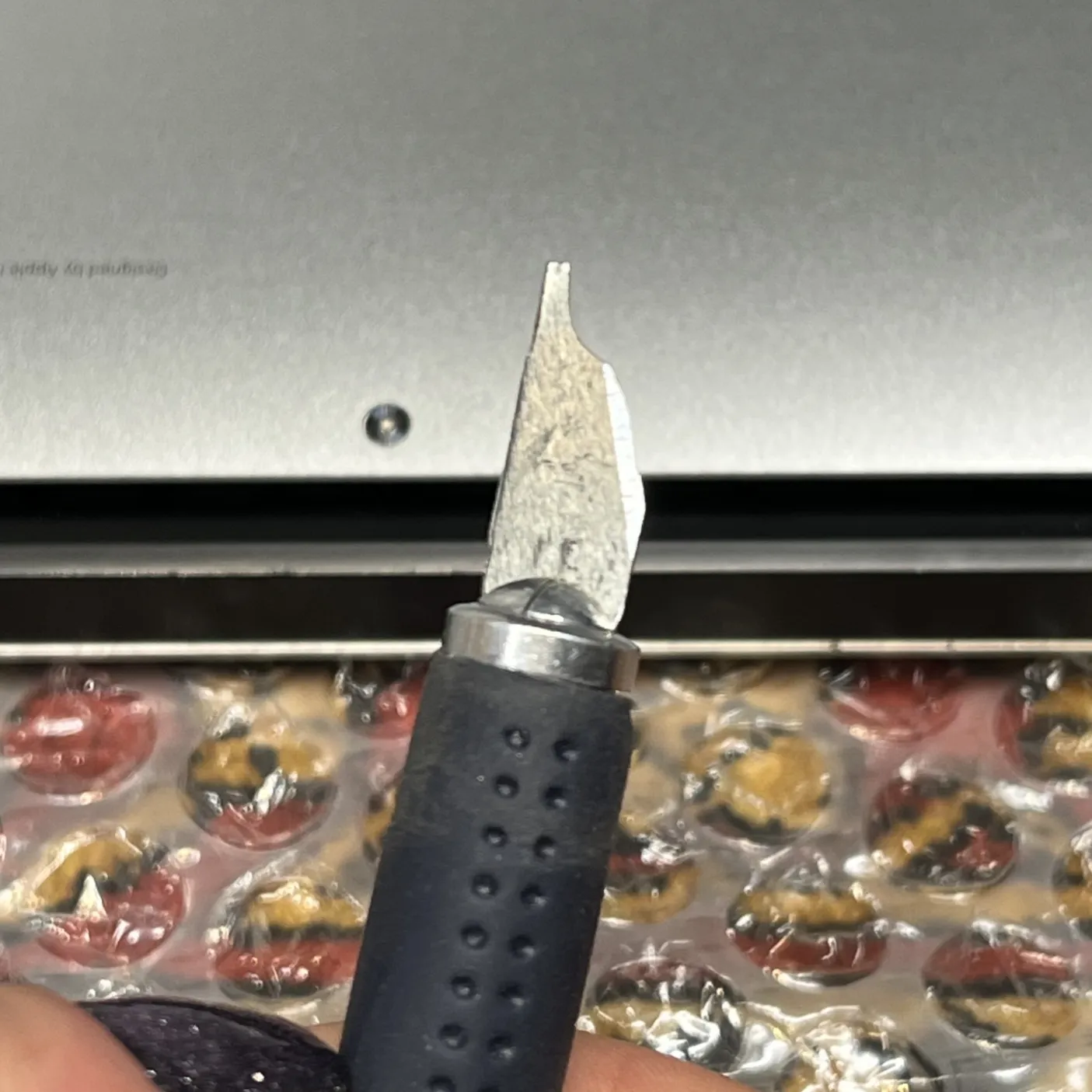 blade screw-driver
regret
turns out that the apple engineers knew that i was coming. the flash chip is an 8wson package from mxic. the gist and some youtube video both showed a regular soic-8 packaged winbond chip. i check the datasheet. massive ground pad under the chip. fuuuck. removing this was a nightmare. i started hanging the rope after the fourth removal attempt. my hot air station was probably writing some sort of overworkment complaint to the machines' rights institution. i have no preheater. at some point i just went «whatever» and blasted the chip with 420° air for ~15 minutes, thinking that the board will be of no use anyway, so i might as well risk it. i finally removed it. i was also expecting the chip to be damaged at that point.
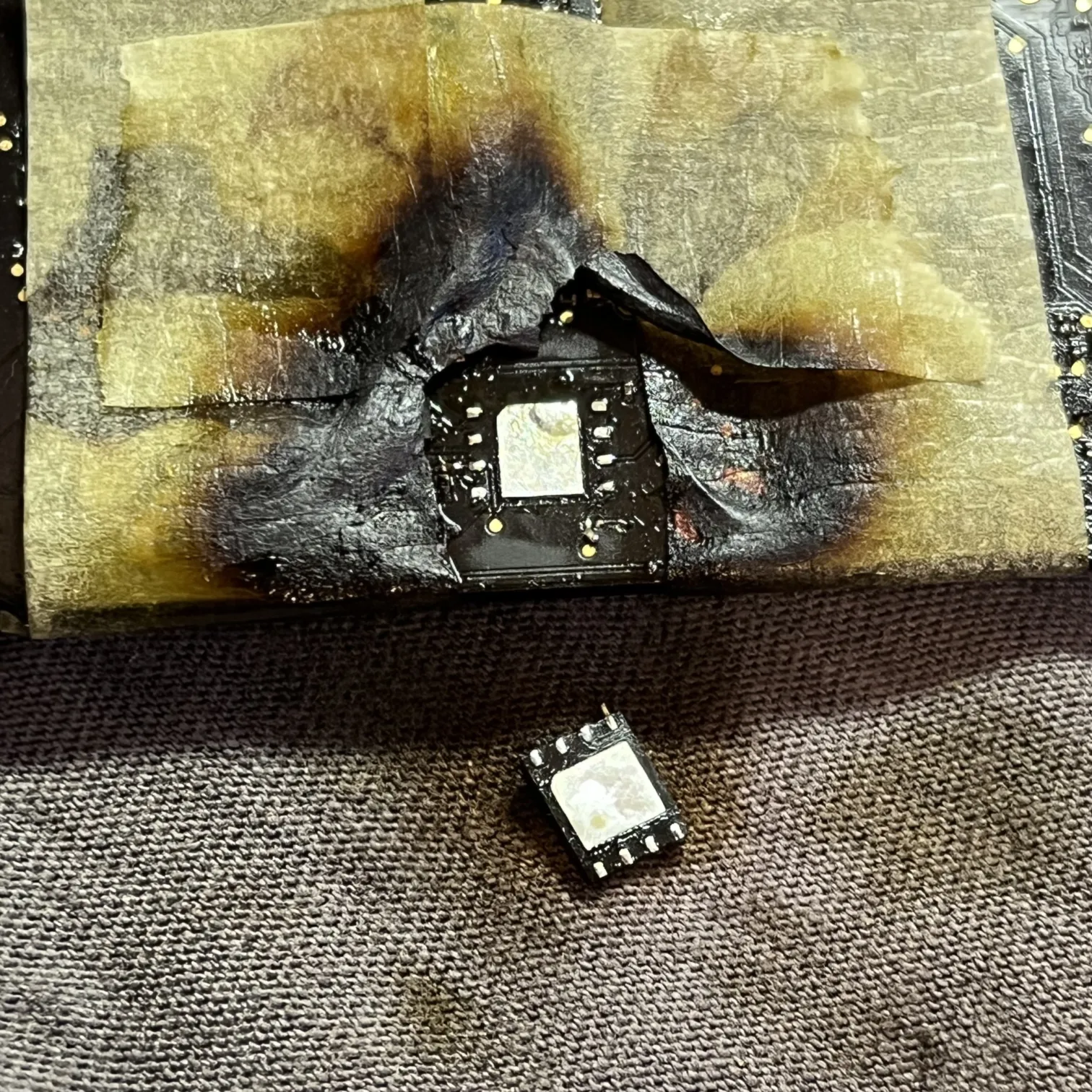 don't look at that burned tape.
while doing the deed, i knocked off two 0402 resistors (that's 0.4mm by 0.2mm, if i even remembered the package correctly. just consider it a very tiny component. it's like 10 times smaller than a sesame seed, i think). the first one was still on the board, and while reattaching it, i accidentally shot it out somewhere into the stratosphere. that's too bad. shit like this happens all the time when i'm handling tiny passives. i thankfully measured its resistance first, and confirmed it on some boardview and schematic, both of which i acquired from some sketchy web sites. the other one i thought was lost for the ever, but it turned out to be soldered to the flash chip's leg. (stump? residual limb?) i didn't notice it until i was ready to solder the chip on for programming! i reattached it successfully after a long fight. the lost one was replaced with a resistor of a larger value, and approximately 3 times larger size. i couldn't find a better match. thankfully a test pad was near, allowing for a hacky connection.
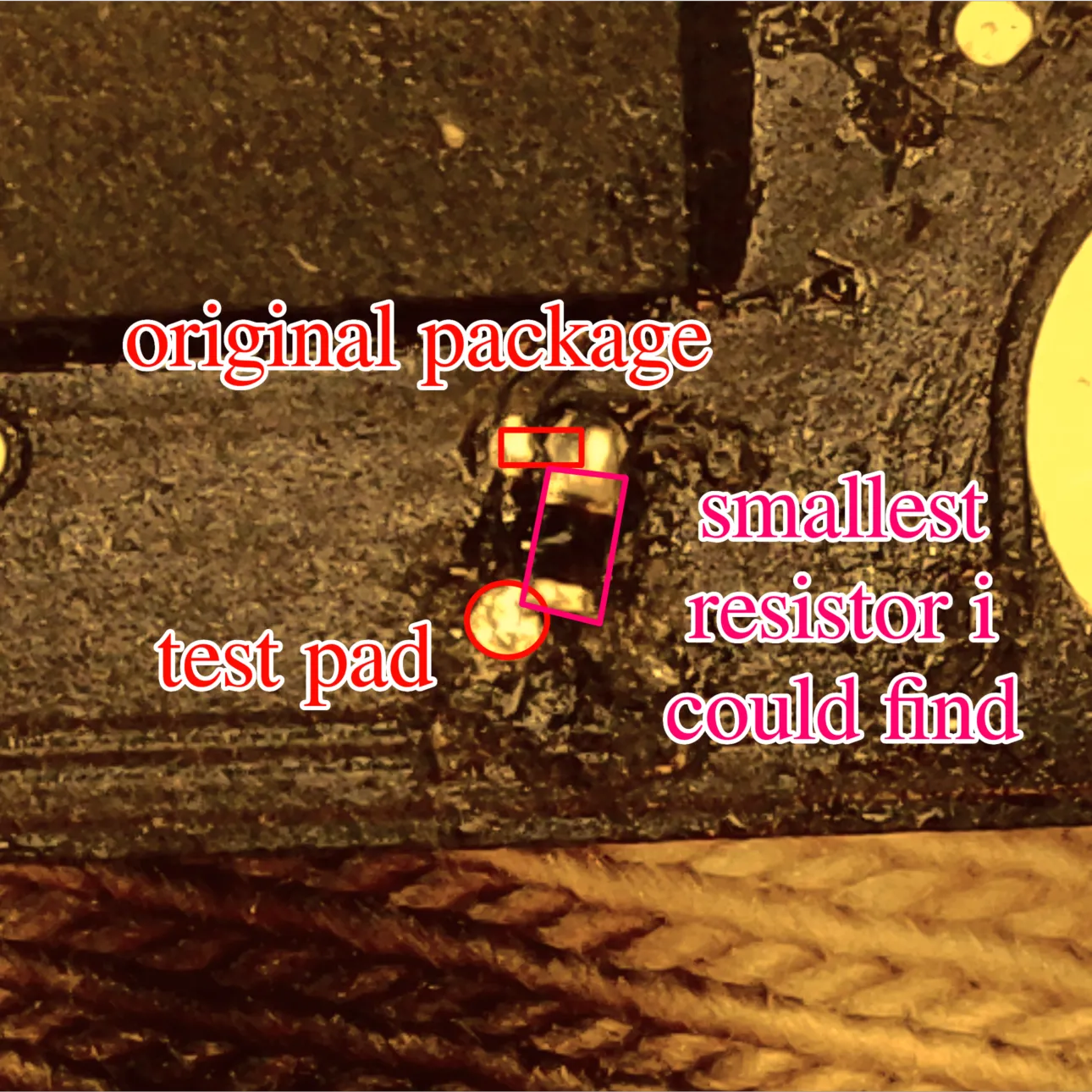 a really nice hack.
talking of the adapter. my premade soic-8 adapter's leg disatance was just a bit too large to fit the chip, so i drew up some traces and etched a new board. then i made two reads of the contents and followed the guide on removing the lock. i actually found a very good article by gdbinit/osxreverser, who went into more detail about the firmware, reversing it, how apple removes the lock with scbo files, and other interesting stuf. it's a good read, although you probably will understand just as much as me. also, random opinion: uefi is fucking insane. anyway, i flashed the chip with the password removed, prayed to the lead gods to not get any bridges and/or shitty connections, because i probably won't have enough will to reflow it, and got going. chip and resistors back in place, i cleaned up the unreasonable amounts of flux that have built up on a large part of the board, and put everything back together.
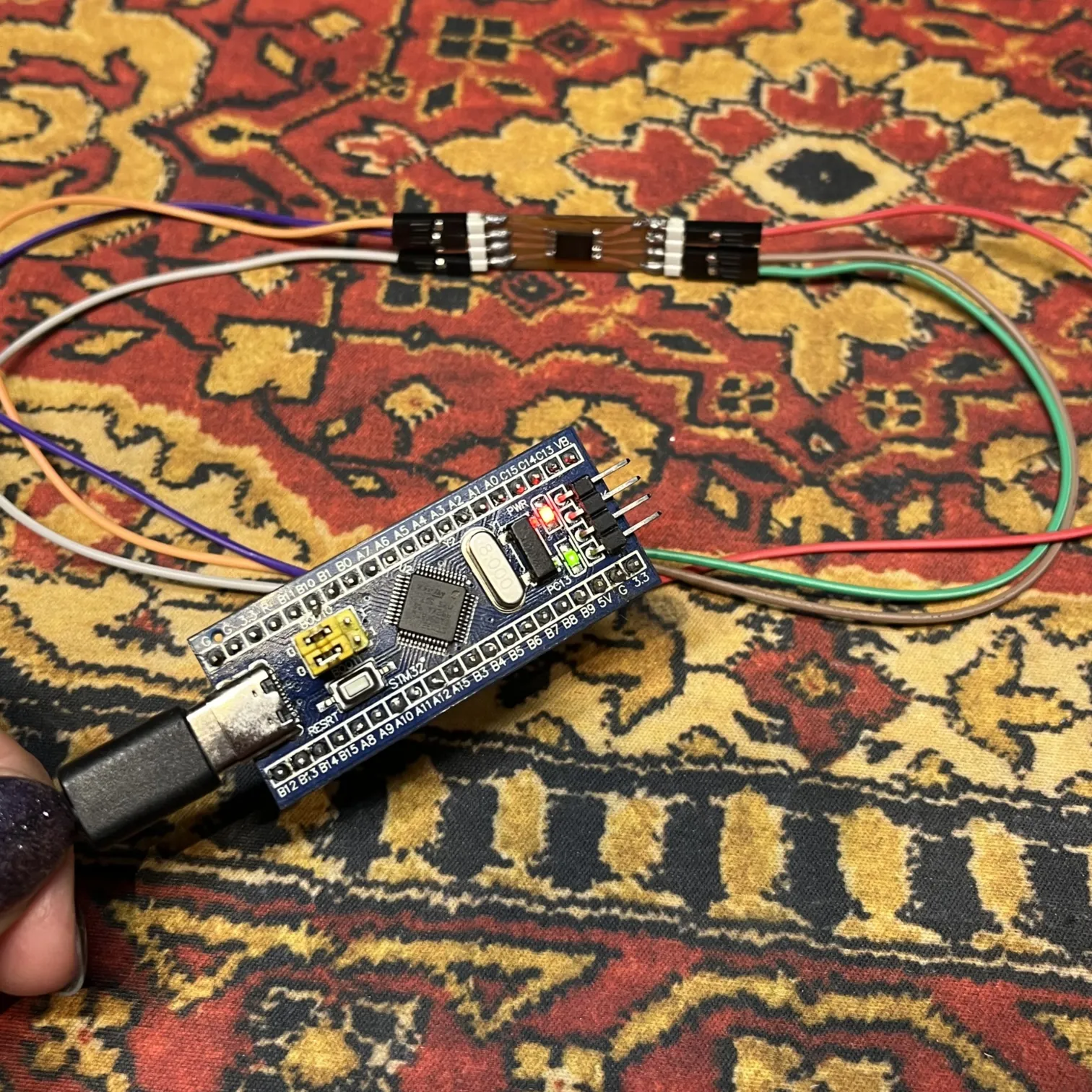 the programming setup, with my new adapter.
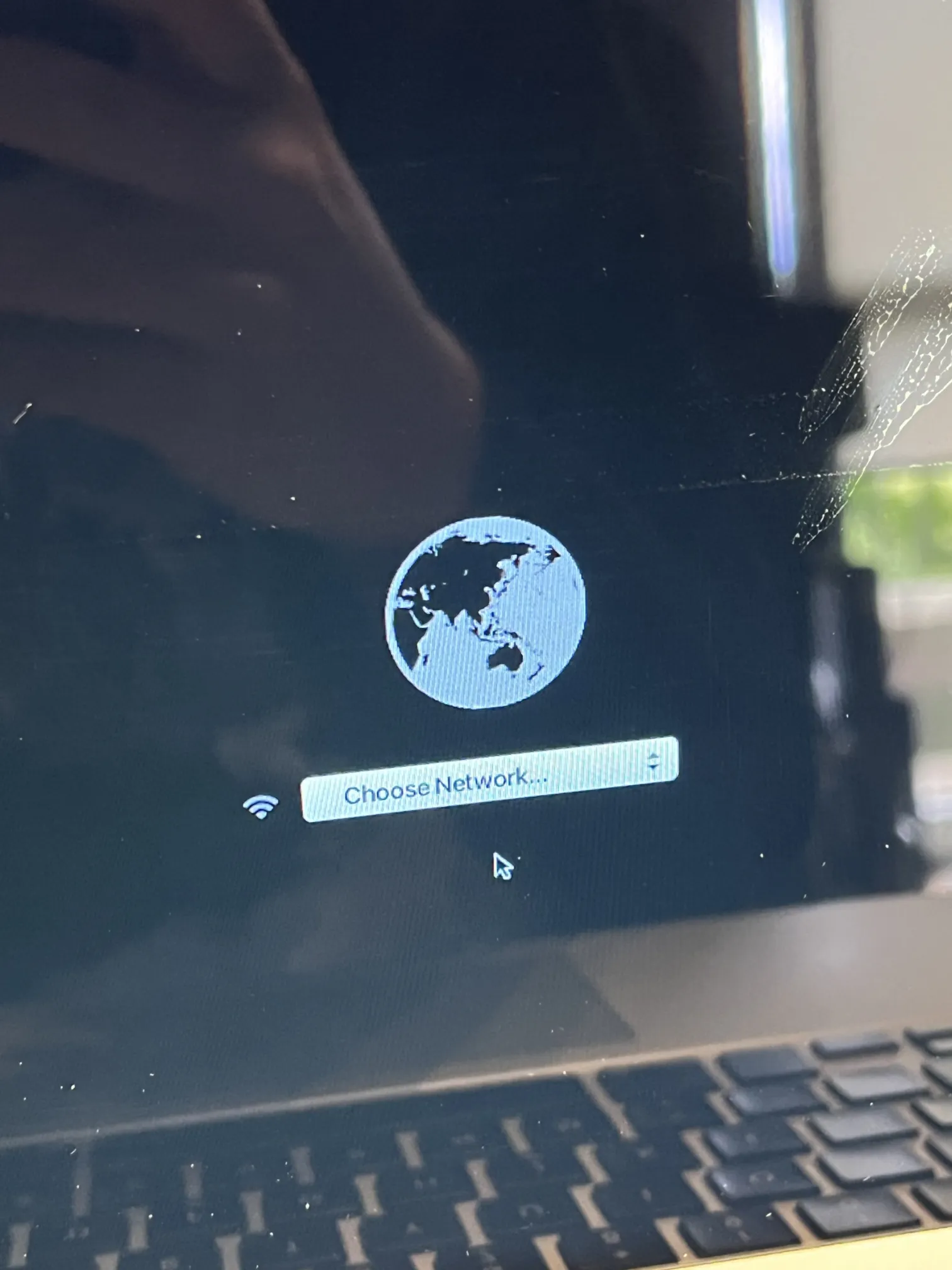
this time when starting internet recovery, i was prompted for a network password instead of an efi password. i won; jumped around the room for a while and got back to the laptop. for some reason IR installed os x el capitan, which while very pretty, was also really useless, due to being hyper outdated. i ran the recovery again and this time got monterey. while i adore macos's design, it was too sluggish, and not really my type of operating system. so it was time to install linux.
 i immediately sent this out to everyone.
regreet
this time the distro roulette decided on void. as much as i like arch, it's built around systemd, which i was starting to dislike more and more, yearning for a simple alternative. void gave me that with runit.
an immediate problem was the lack of nic drivers. i had no inet access. apparently my macbook has some sort of terribly unsupported broadcom nic for which i needed the proprietary «broadcom-wl» driver. i also had no way to quickly connect to the inet to get it, as the void live boot image ships without usbmuxd and libimobiledevice, unlike arch, so ipheth didn't work, and i needed to get my mom's android phone for the installation and setup. and the setup was horrid. i could NOT get the inet access working. it turned out that i needed to reinstall void with glibc instead of musl to make the broadcom driver not crash. (this must be some sort of conspiracy between RMS and broadcom). then networkmanager and wpa_supplicant were failing terribly. at some point i got iwd to work, although i still have to restart and reconnect some times after waking the laptop up. big thanks to lun4 and troy for helping me with this stuf. :3
i picked mangowc as my wayland server, for no particular reason. i wanted to try something else than hyprland, which seems to be a particular reason. i didn't dive too much into the configuration, and i don't have a strong opinion — it seems to be a nice server. dragging and dropping images works on krita unlike with hypr. i later got booting with uki working (thanks again to luna for the script!) and removed grub, which was added earlier by the void installer. i made a nice splashscreen, which was easy enough to configure with runit and fbv. for some reason booting a file called «bootx64.efi» completely skips the mac's chime and replaces the apple logo with a spinner. i changed the name to «void.efi» to get the chime back. leave my chime alone.
 my little splash screen.
i made some tools for the mac. the first one was the chimetool — a nu script which controls the volume of your mac's boot chime! awesome! it just sets an efi variable. i also made some modifications to acpid's default handler to get a smooth fade of the lcd backlight (and the apple cutout on the back!) on wake. i configured keyd to swap the function and left control keys, because some idiot put fn in the corner. i wanted to replace the power button's functionality with the delete (frontspace?) key's, but unfortunately it seems to have some weird debounce and quick-release functionality built-in — it is the power button, i guess. long-pressing the delete key would also bring me some headaches in that case xP
i put most of the tooling into my mactools repo, including a keyboard backlight control nu script which i didn't talk about. i will want to expand this repo a bit more as time goes on, as i have a small issue with the fact that acpid events happen once and don't get repeated — i could handle them in my wayland server's config, but that would require udev rules and would also make my code non-portable, so i have to figure out some better solution to this.
opinions (who cares?)
i like the book. the fan barely runs, even when i'm compiling code. most of my use time is fully quiet. the aluminum body is solid, the hinge is the best hinge that i've seen used on a laptop. the bottom is massive enough that i can lift the screen with the dedicated cutout without holding down the base. it boots very fast — i see the tuigreet login screen in around 10 seconds. unfortunately i do not get systemd-analyzer with runit :P. on my desktop computer, the uefi firmware is doing... something for 20 seconds at least, then i have to wait for startup, which sysd probably slows down, so the boot is actually very swift. i will not talk shit about the vaio's boot times as it has a hard drive. the keyboard is alright — feels like a laptop keyboard. i was actually surprised to see the lid switch in action. i forgot that these exist, amazing stuff. there is a lack of ports for sure, but i've realized that the only time i needed to use the vga port on my vaio laptop was when the display didn't work due to the nouveau thing. hdmi missing will for sure be a pain some day, when i'll need to broadcast funny cat compilation to the televisor. this was supposed to be funny but i couldn't come up with anything good. i will probably bite myself one day due to the missing cd/dvd drive, but for any normal use, i'll take the extra space for more batteries any day. it has an sd card reader, so i can still dump photos from my camera, which i honestly did not expect from an apple "non-pro" device (i guess this still is 2015, though). usb 3.0 everywhere, very nice. a missing microphone jack is certainly... a choice. i wonder if i will ever use the thunderbolt port, as i don't remember ever seeing an accessory for it in real life. the idea of magsafe is also very cool, although i play way too much with the connector while coding, so either the port or knock-off plug will probably reach EOL faster than intended, lol. a thing which at first i considered a big negative, has turned around into a positive (? kinda?): the sharp aluminum edges were digging into my wrists while laying in bed and writing on the keyboard, but i realized that this made me sit straight more often, which will maybe fuck my posture a bit slower? pain W?
Uuu, what is this!? "Pain?" How funny!!
as for void. i like it so far. i had some dbus issues, but i guess that's just a skill issue, and a dbus issue (who the hell likes dbus??) seatd didn't work the first time so i'm kinda stuck with elogind for now, which caused some issues with greetd, but i think i finally have it all figured out, with a working bus. xbps is a package manager, nothing much i can say about it. it works, and works pretty well. i do miss having bleeding-edge software, like on arch — seeing the krita 5 splash screen was an interesting feeling, like i've traveled back in time without realizing it. i haven't dabbled into xbps-src yet, but that means less time spent on discord, which is a good reason to keep laying off the learning. runit is very promising. i dislike the complexity that systemd brings. one thing i don't get is why the whole # ln -s /etc/sv/servicename /var/service/ isn't automated through sv with a subcommand, but that's easy enough to solve in my nu config. as for xtools — i often use xlocate to track down which packages i need to download, but having multi-word search would be a nice improvement. i just pipe the output into rg (or rg chains) to search for what i need. i haven't used the other xtools yet.
conclusion
buy stuf, try stuf, fix stuf, break stuf (it's just one of those days)